Your register, your way. One flat price.
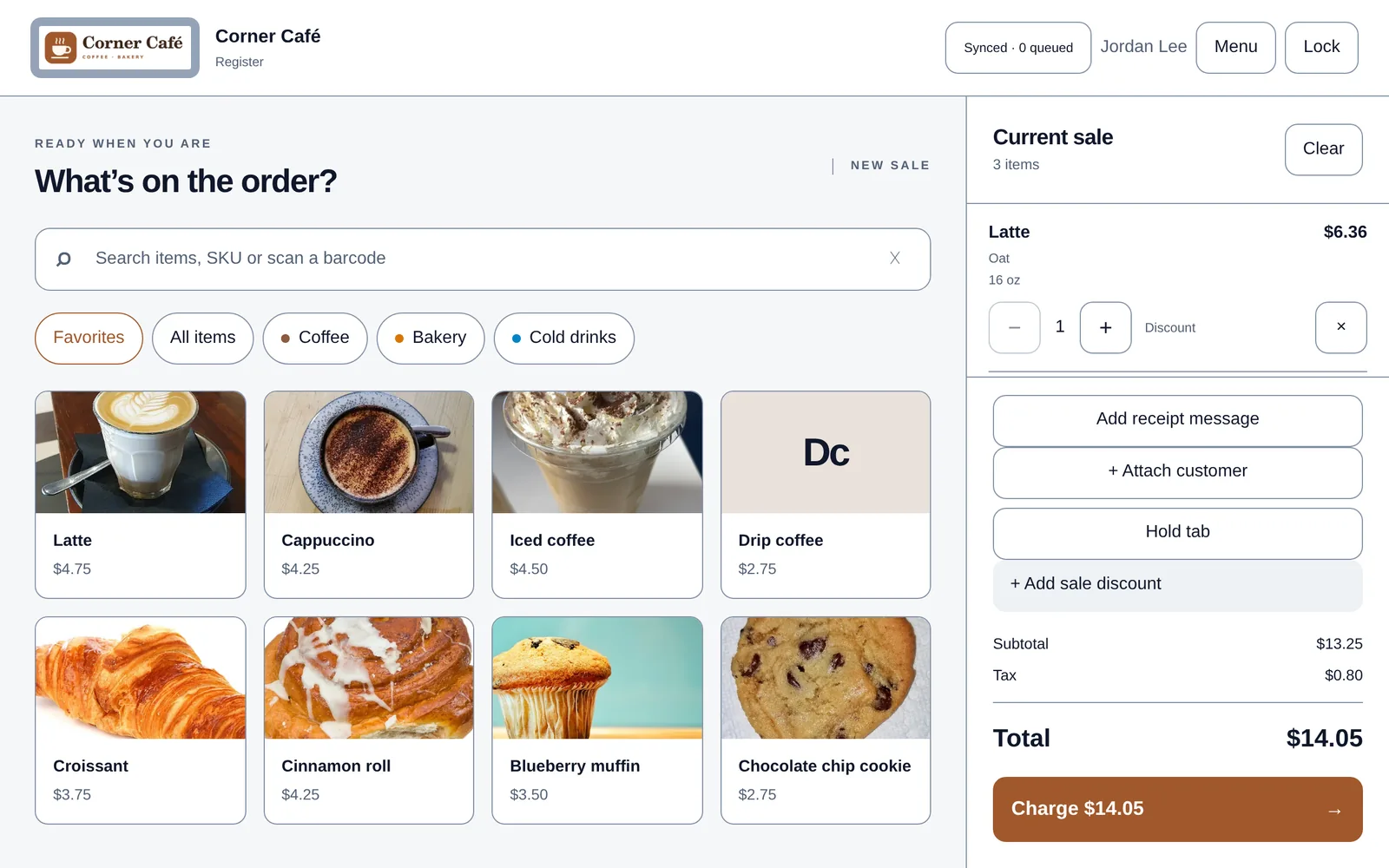
Flattill looks and works the way your shop does: your logo, your item photos, your colors, your tip screen, your receipts. It runs in the browser on the tablet or laptop you already have, keeps selling when the wifi drops, and costs a flat monthly price. Never a cut of your sales.
- $0 per saleNo per-transaction fees. One flat monthly price.
- Your processorKeep the card terminal and merchant account you have.
- Works offlineSales are saved on the device and sync when you're back online.
- Your dataExport reports to CSV. Ask for a full copy any time.
You decide how your register looks and works.
Each of these is a setting in your back office. Change it, and your registers pick it up the next time they're online.
Screenshots show Corner Café, a demo store we set up in Flattill. Try it yourself, no sign-up.
Photo buttons and your logo
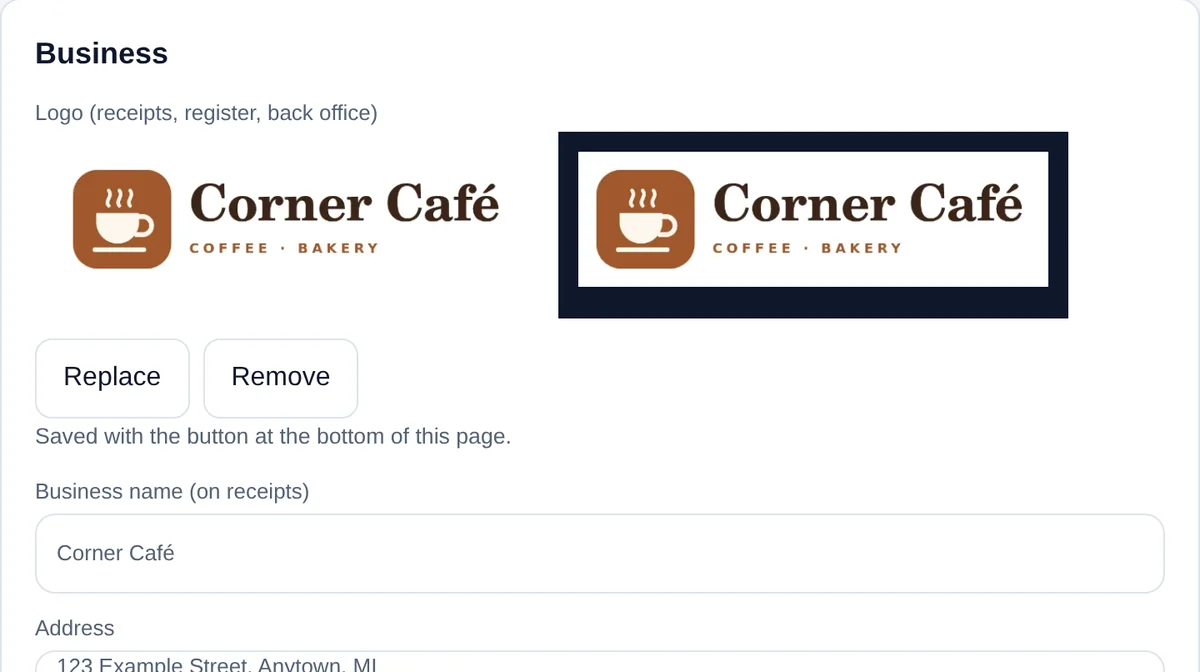
Add a photo to any item and it becomes the button your staff tap. Items without a photo get a tile color and their initials, so the grid stays easy to scan. Upload your logo once and it appears on the register, the unlock screen, the back office and your receipts.
Items → Photo · Settings → Business → Logo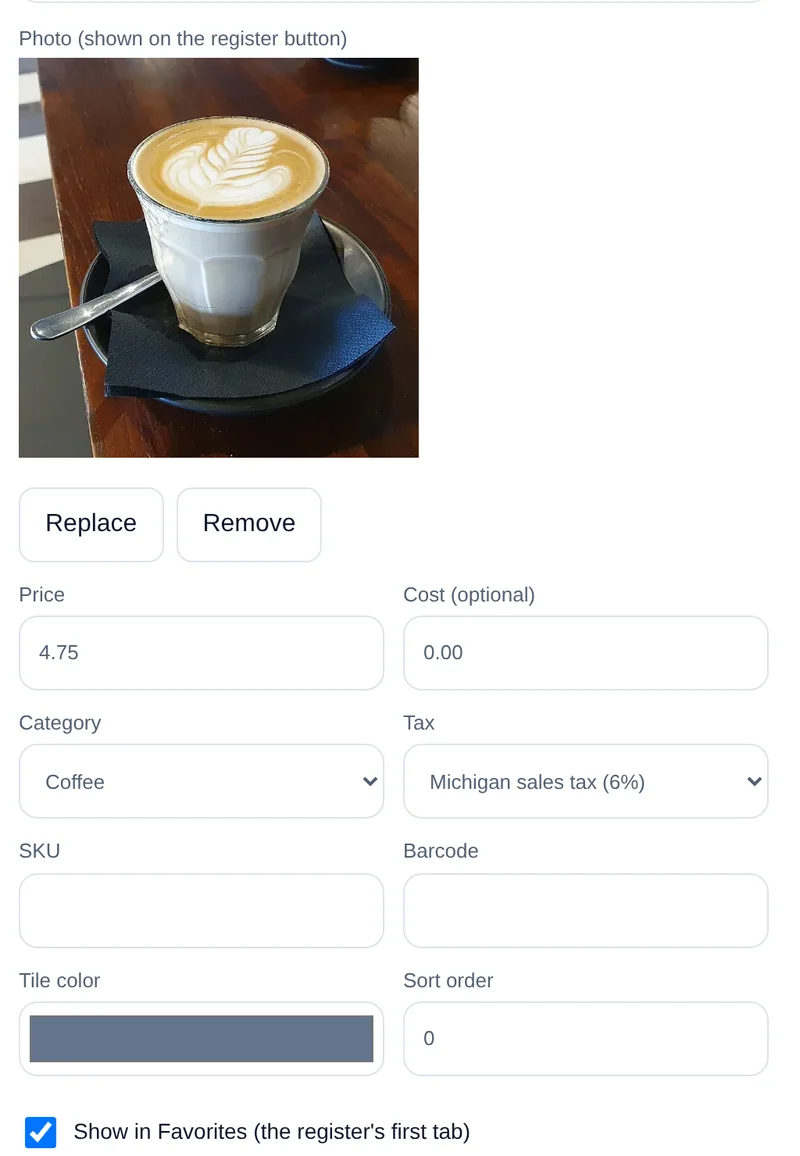
Favorites up front
Pick your best sellers and arrange them in the order you want. The register opens on your Favorites, so the busiest items are one tap away.
Items → Show in Favorites · Favorites → set the order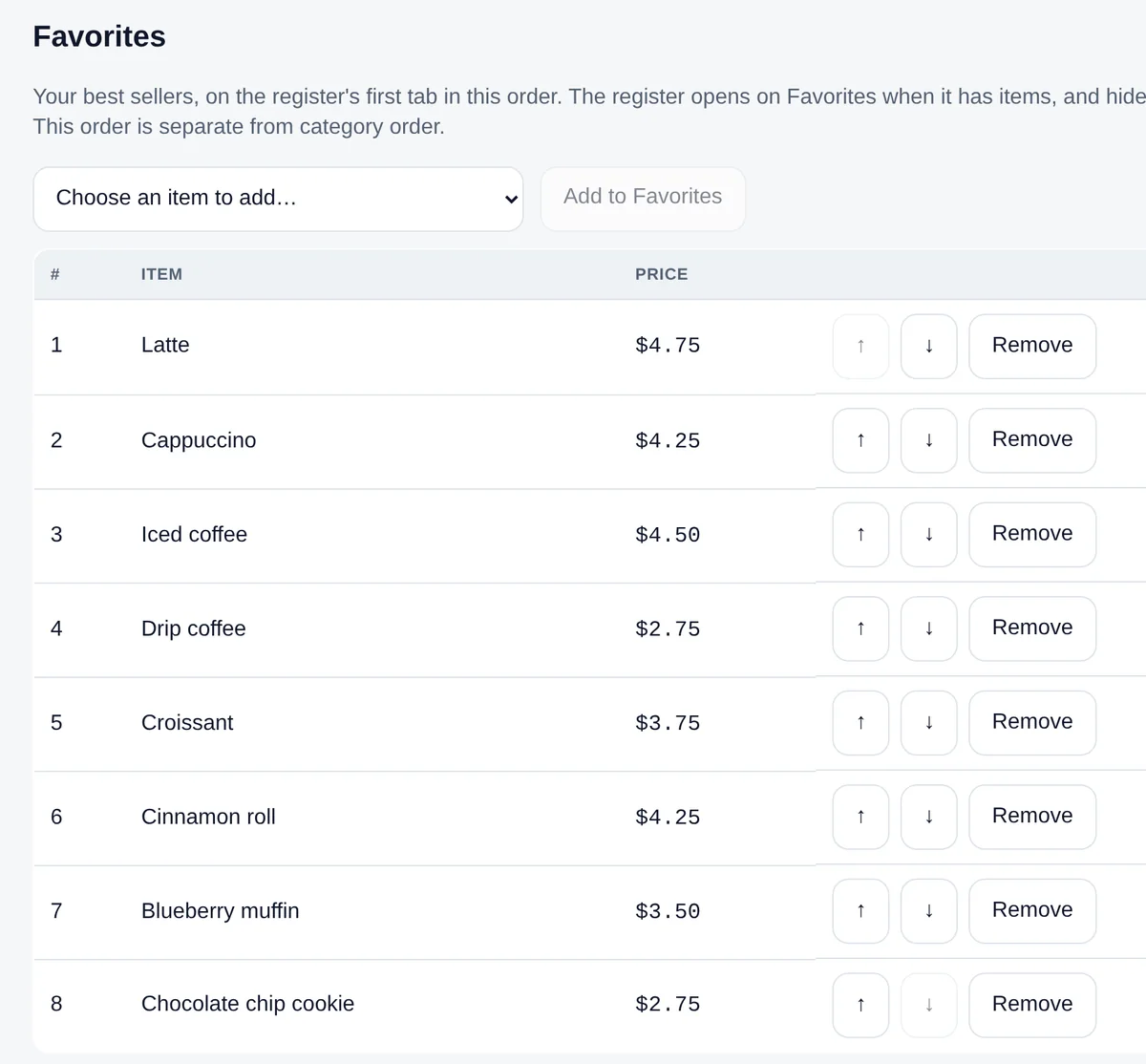
Light or dark, in your color
Choose a Light or Dark register, or let it follow the device. Then pick a brand color for buttons and highlights. If a color would be hard to read in a theme, Flattill uses a nearby shade instead.
Settings → Register appearance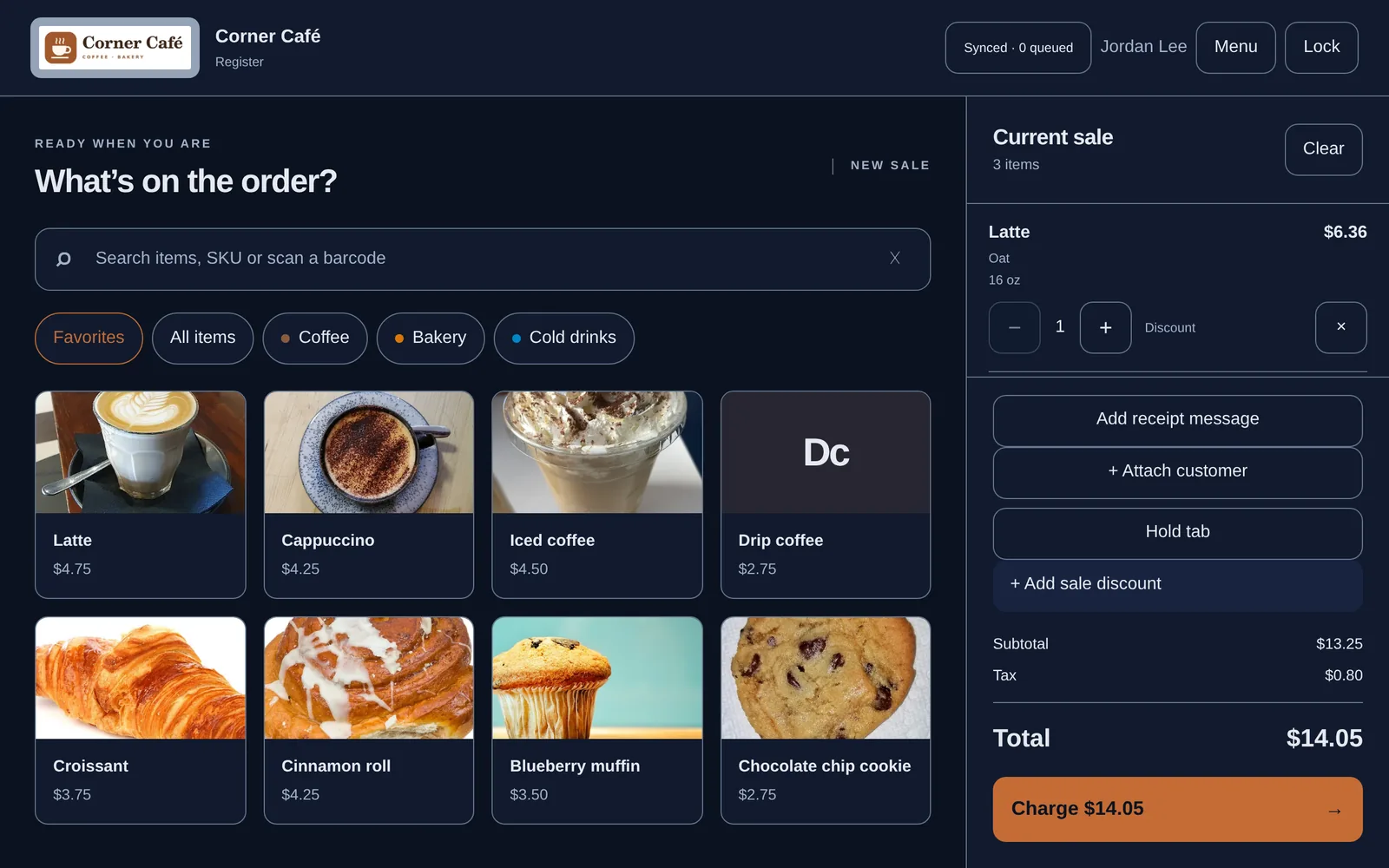
Button size and prices
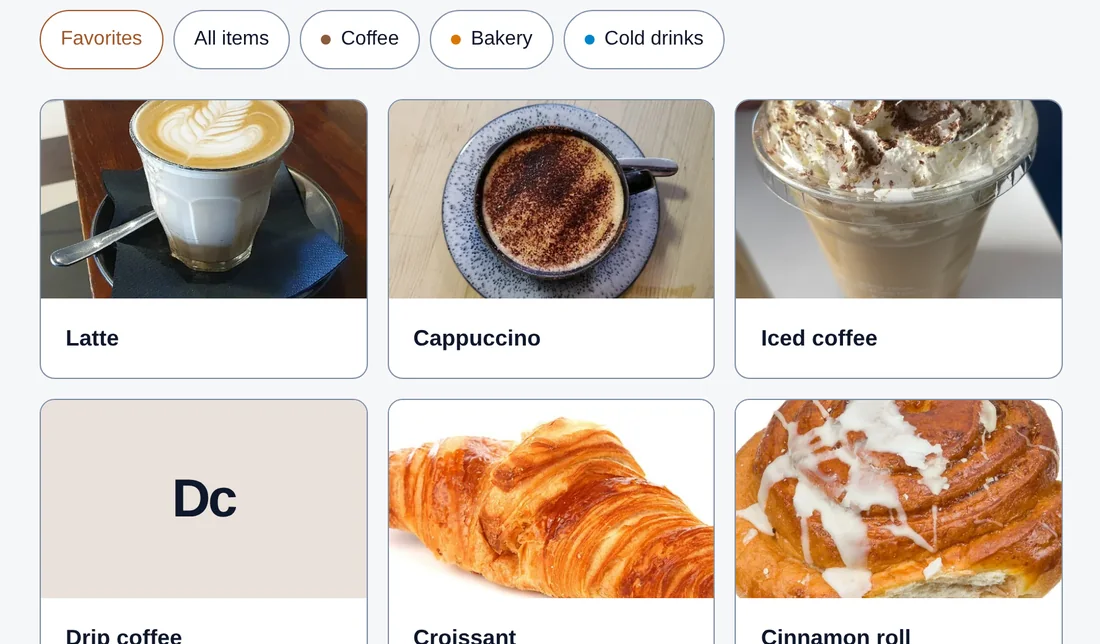
Choose compact, standard or large item buttons, and whether prices show on them. Compact fits more items on screen; large is easier to hit at a busy counter.
Settings → Register appearance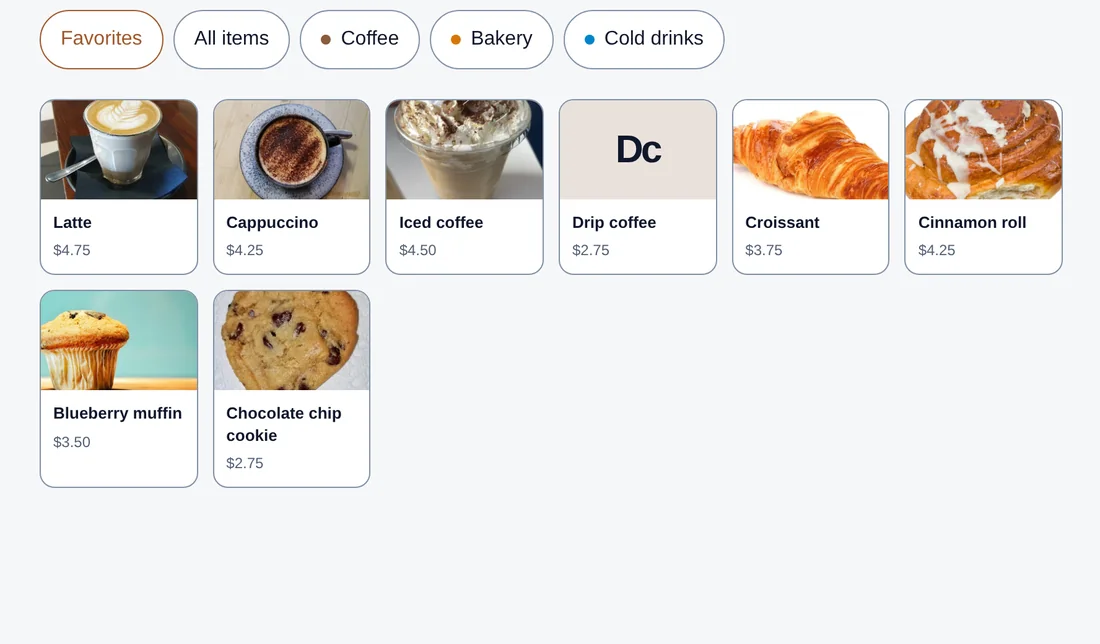
Simple Mode
One switch hides the buttons for customers, held tabs, discounts, item notes and cash drawer shifts, for counters that just need to ring things up. Existing tabs and recorded sales stay as they are, and you can turn any of them back on later. Nothing is deleted.
Settings → Register features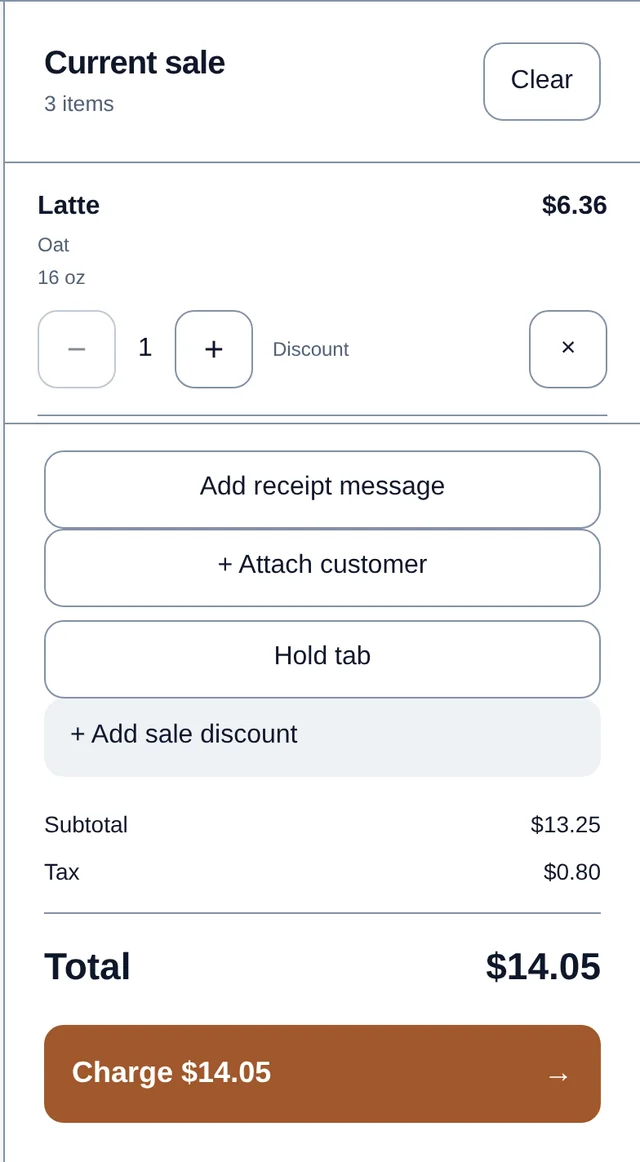
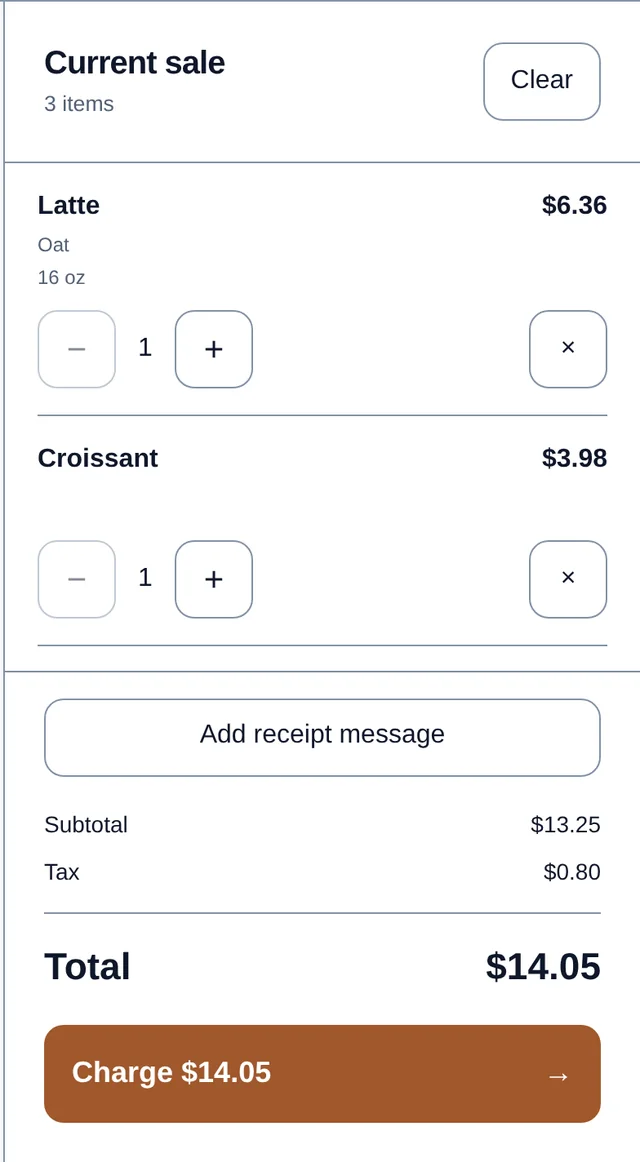
Smart tipping
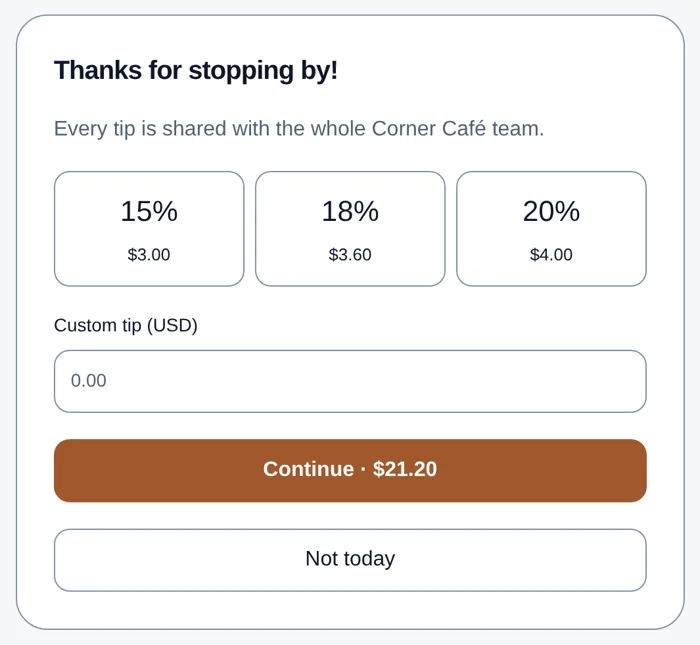
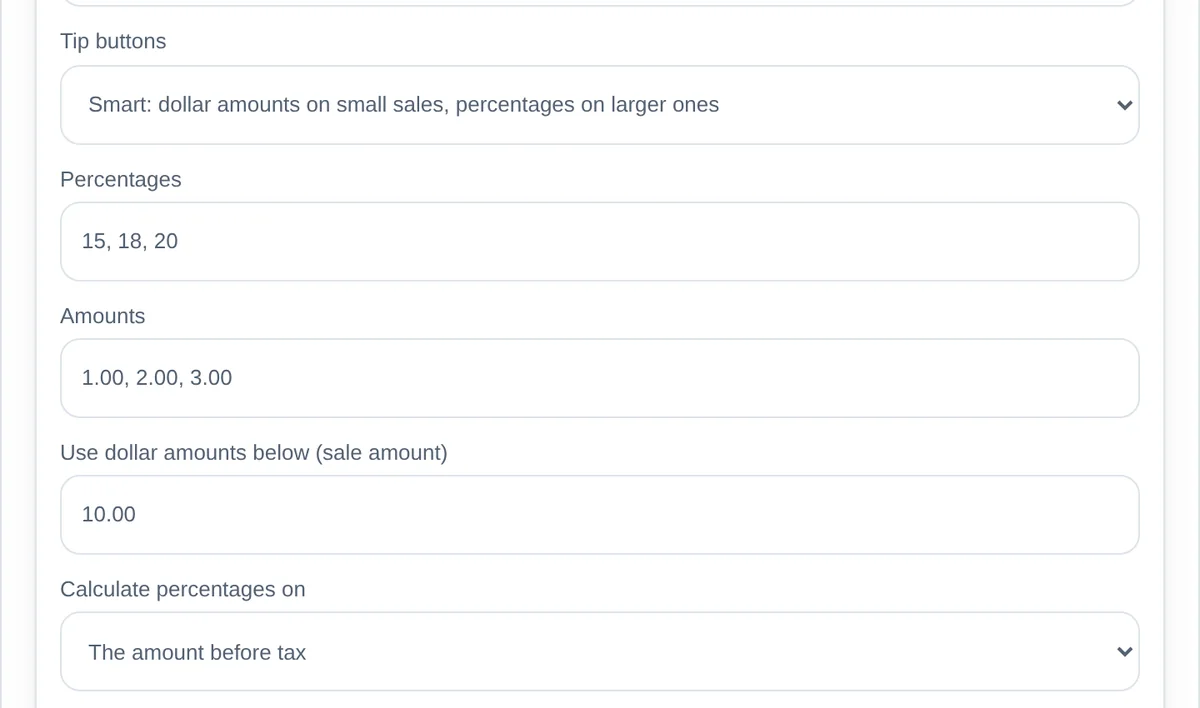
Small sales get dollar amounts and bigger ones get percentages, switched automatically at the amount you choose. You also set the heading, the message, the presets, whether percentages are calculated before or after tax, and the wording of the always-present "no tip" button.
Settings → Tip screen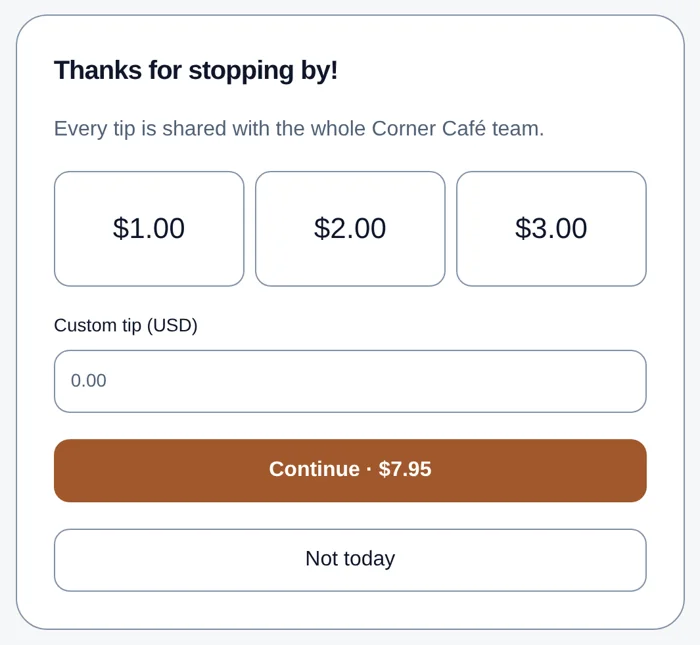
See plans and pricingStarter $29/month · Pro $79/month
Receipts that look like your shop
Add a header line, a thank-you, your return policy, your website and your Instagram, TikTok or Facebook. Add a QR code that opens the receipt online, goes to your website, or asks for a review. A live preview in your settings shows how your receipts will look.
Customers can get a printed receipt through your device's print dialog if it can print to a printer, open or scan a receipt link, or skip it. Removing "Powered by Flattill" from receipts is a Pro feature.
Settings → Receipts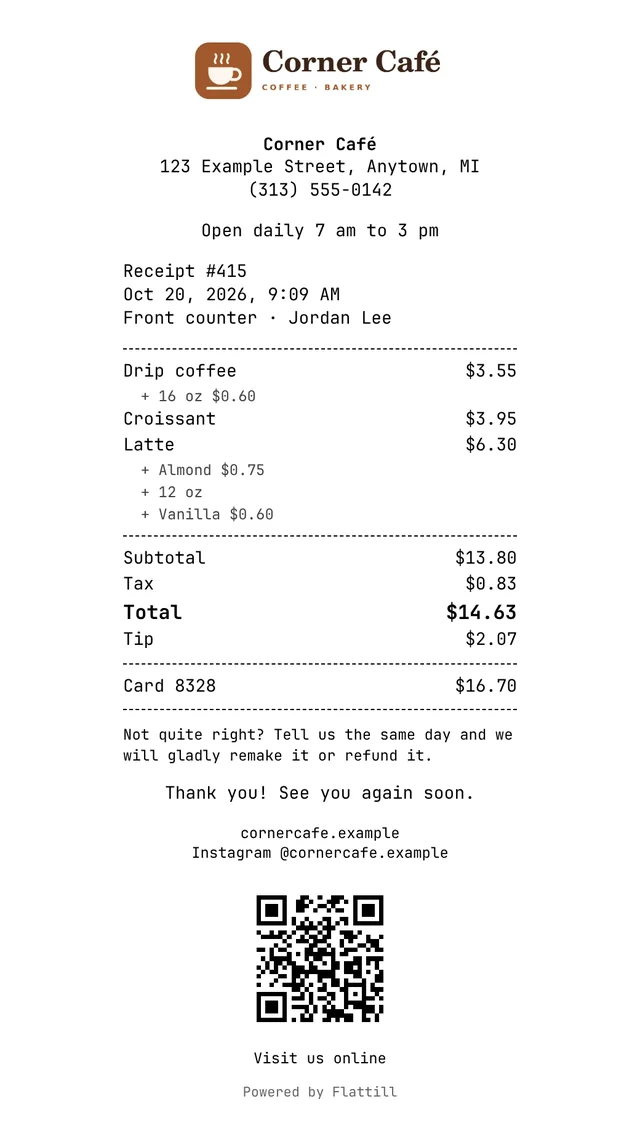
Different registers, different settings Pro
With more than one register, each one can keep the store defaults or use its own theme, button size, price display, and tip prompt on or off. The patio tablet can run dark with large buttons and no tip prompt while the front counter stays as it is.
Registers → Settings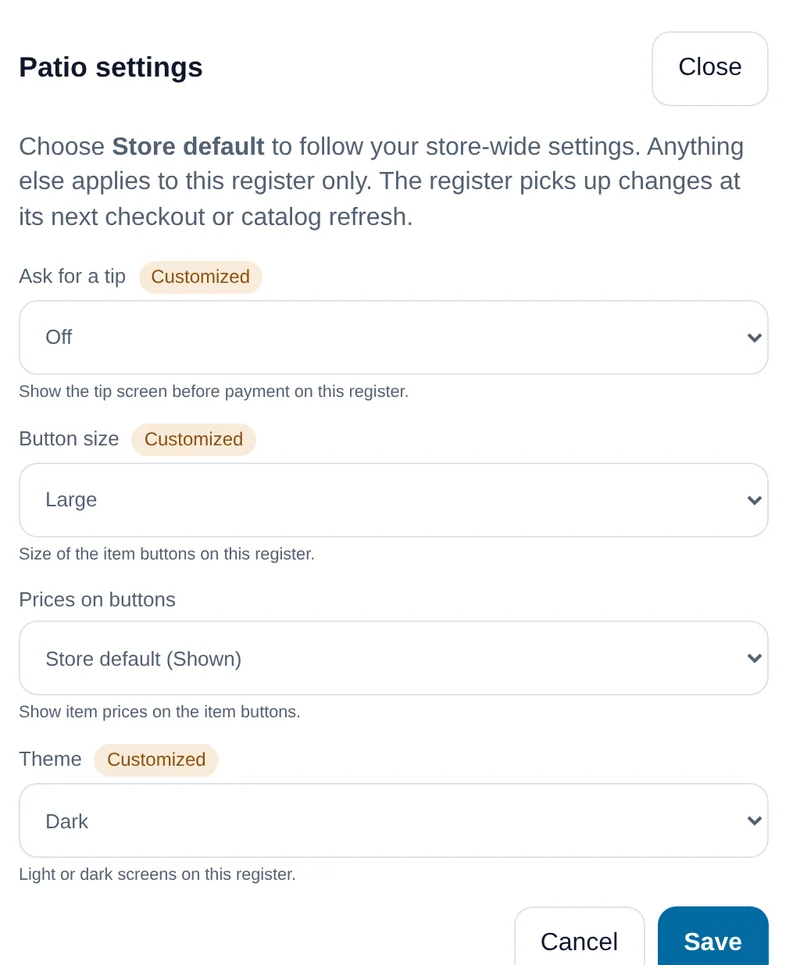
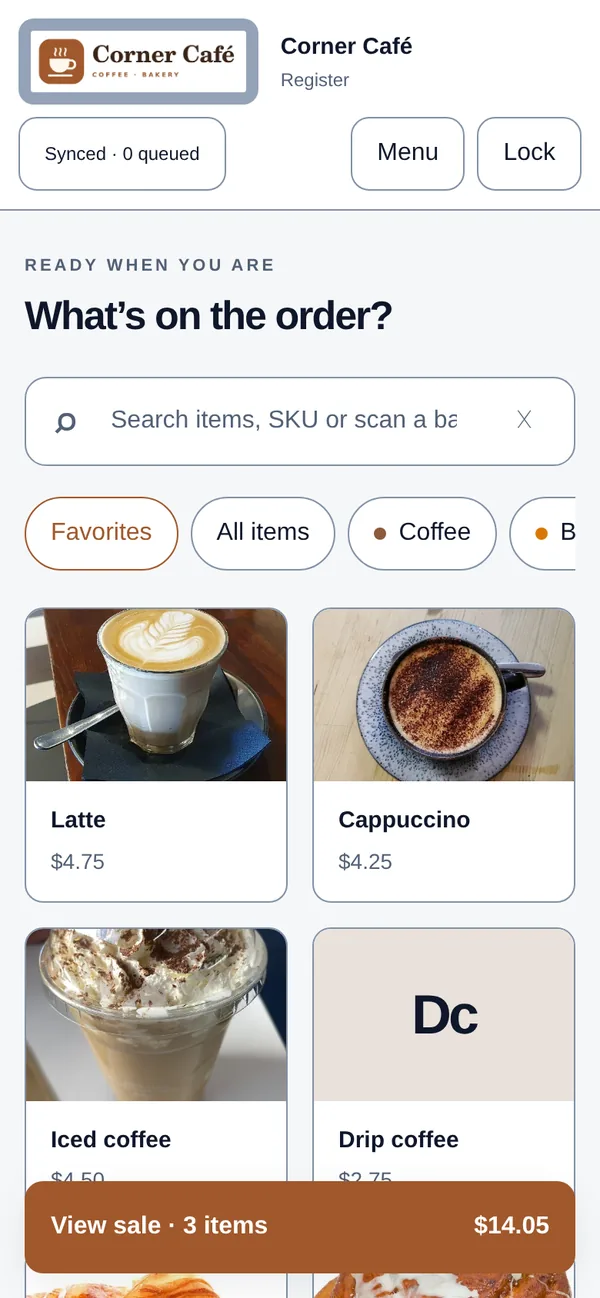
A phone works too
The register adapts to the screen it's on, from a laptop to a tablet to a phone in your pocket at the market.
Simple pricing. No surprises on the statement.
Both plans include unlimited sales, offline mode, reports, receipts, and a real person to email. 14 days free, no card required.
Starter
One counter. Cafés, trucks, stalls, studios.
- 1 register
- 5 staff with PINs, including you
- 500 items
- Unlimited sales, no per-transaction fees
- Photos, logo, Favorites, themes, Simple Mode, smart tipping and receipt settings
Pro
Busy shops and multi-register setups.
- Up to 10 registers, each with its own settings
- 50 staff with PINs
- 10,000 items
- Everything in Starter
- Remove "Powered by Flattill" from receipts
Prices in USD. Month to month, no contract. Card processing is paid to your own processor, not to us.
Built for counters tired of paying a percentage.
Cafés, food trucks, market stalls, bakeries and small shops that need a dependable register at a price that doesn't grow with every sale.
Keep your processor
Flattill doesn't process cards and never locks you into a processor. Take the card on the terminal you already use, record it in Flattill, and shop for a better rate whenever you like.
Use the hardware you have
Flattill runs in a web browser on a tablet, laptop or phone and installs to the home screen. Scanners that type work in the register's search box. No proprietary hardware to buy.
Keeps selling offline
Each sale is saved on the device before it shows Paid. When the connection returns, sales sync automatically and are never recorded twice; any that need attention stay visible on that device.
Your data stays yours
Export any report to CSV, and ask us for a complete copy of your store's data whenever you want. No lock-in, no exit fee.
What a percentage really costs
At a 2.6% rate, $20,000 a month in card sales is $520 a month, before any per-transaction fee. Flattill doesn't touch that money: you pay your processor directly, so you can negotiate, switch, or choose a cheaper one. Flattill is a flat $29 or $79 a month on top, whatever your volume.
What Flattill isn't
Flattill doesn't process cards itself (your terminal does), and it doesn't do online ordering or payroll. It's a focused register with a straight price, built and supported by the person who answers your email. If you need an enterprise suite, we'll tell you.
A back office you'll actually open.
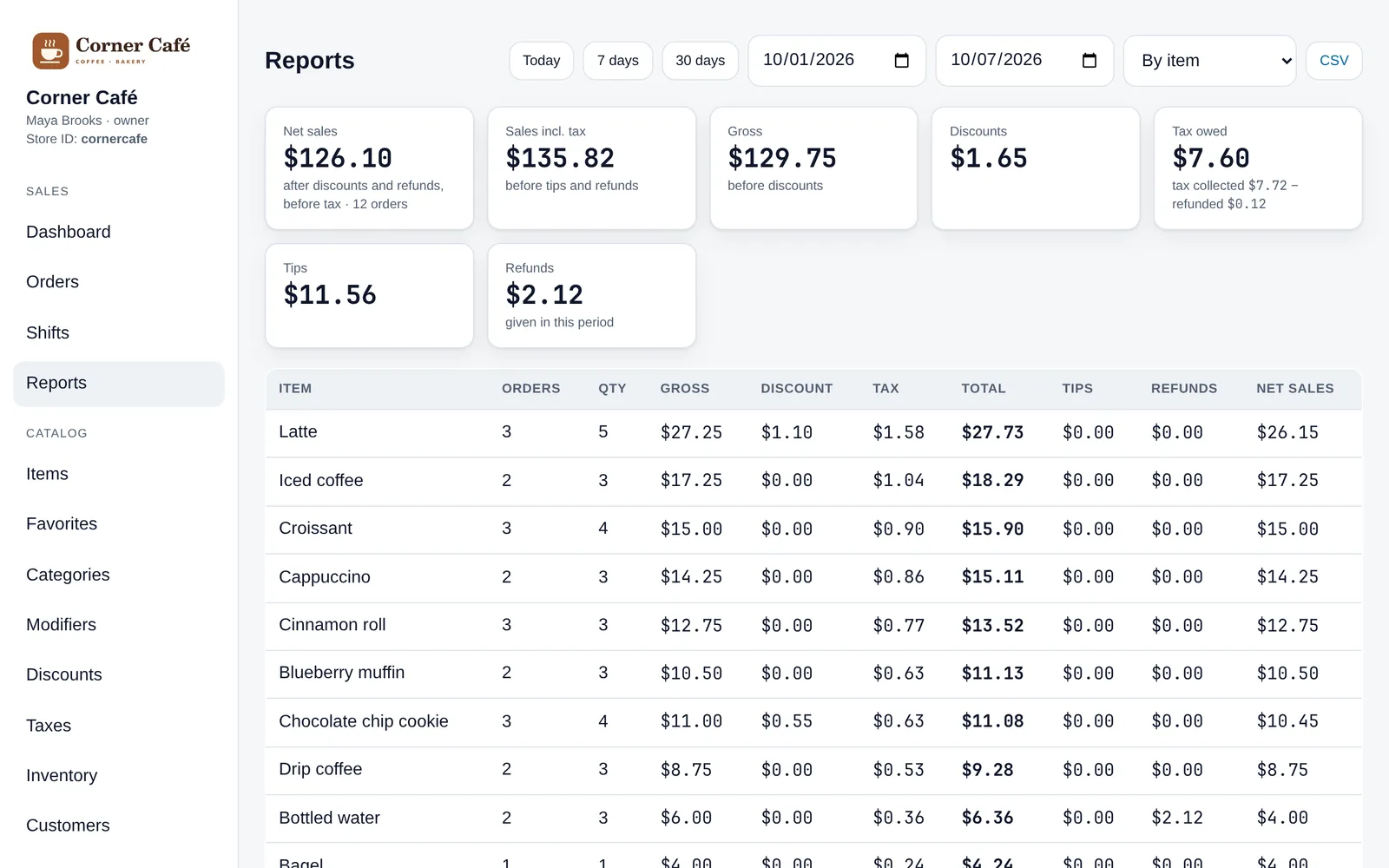
See what sold, when, who rang it up and how it was paid. Pick a date range and export it.
- ReportsBy day, hour, item, category, cashier, payment method or register. Export to CSV.
- Counter basicsModifiers, open prices, split payments, held tabs, refunds, and cash drawer shifts with a count and a Z report.
- Staff & rolesCashiers get a PIN. Managers approve refunds and discounts and see reports. Owners handle billing.
- InventoryTrack stock where it matters, with low-stock warnings on your dashboard.
- CustomersAttach a regular to a sale and keep notes.
Set up your store the same day.
No installer, no sales call, no hardware shipment. A setup checklist walks you through it.
Create your store
Business name, Store ID, email, password and your register PIN. Your trial starts immediately.
Make it yours
Pick your currency, then add items and photos, your logo, colors, tip screen and receipt.
Pair a device
Open flattill.com/r on the tablet and enter your Store ID and the six-digit code from your back office.
Ring it up
Count your opening cash and take the first order. Reports fill in as you go.
Questions
Do I need to buy hardware?
No. Flattill runs in a current web browser (we test in Chrome) on a tablet, laptop or phone, and installs to the home screen like an app. Scanners that type, over USB or Bluetooth, work in the register's search box. For paper receipts, Flattill uses your device's own print dialog, so you need a printer that device can already print to; we don't certify any dedicated receipt printer yet.
How do card payments work?
You keep your existing card terminal and merchant account. Take the card on your terminal as you do today, then record the payment in Flattill with the amount and an optional reference.
What happens when the internet goes down?
You keep selling. The register keeps your catalog and cashier PINs on the device and saves each sale before showing "Paid." When the connection returns, sales sync automatically; a sale sent twice is recorded once, and any sale that needs attention stays visible on that device. Until they sync, those sales live only on that device, so don't clear the browser's data while the register shows sales waiting. Offline, unlock with a cashier PIN. Refunds, voids, manager approvals and closing a drawer need a connection.
Can I get my data out?
Yes. Every report exports to CSV, and we'll send you a complete copy of your store's data whenever you ask. No lock-in and no exit fee.
Is there a contract?
No. Month to month. During the free trial there's nothing to cancel. To cancel a subscription, email us and we'll take care of it.
Who's behind Flattill?
Flattill is independent and built in Detroit. You'll get answers from the person who built it, not a ticket queue.
Make the register yours.
Fourteen days free. No card required. From $29 a month after that.